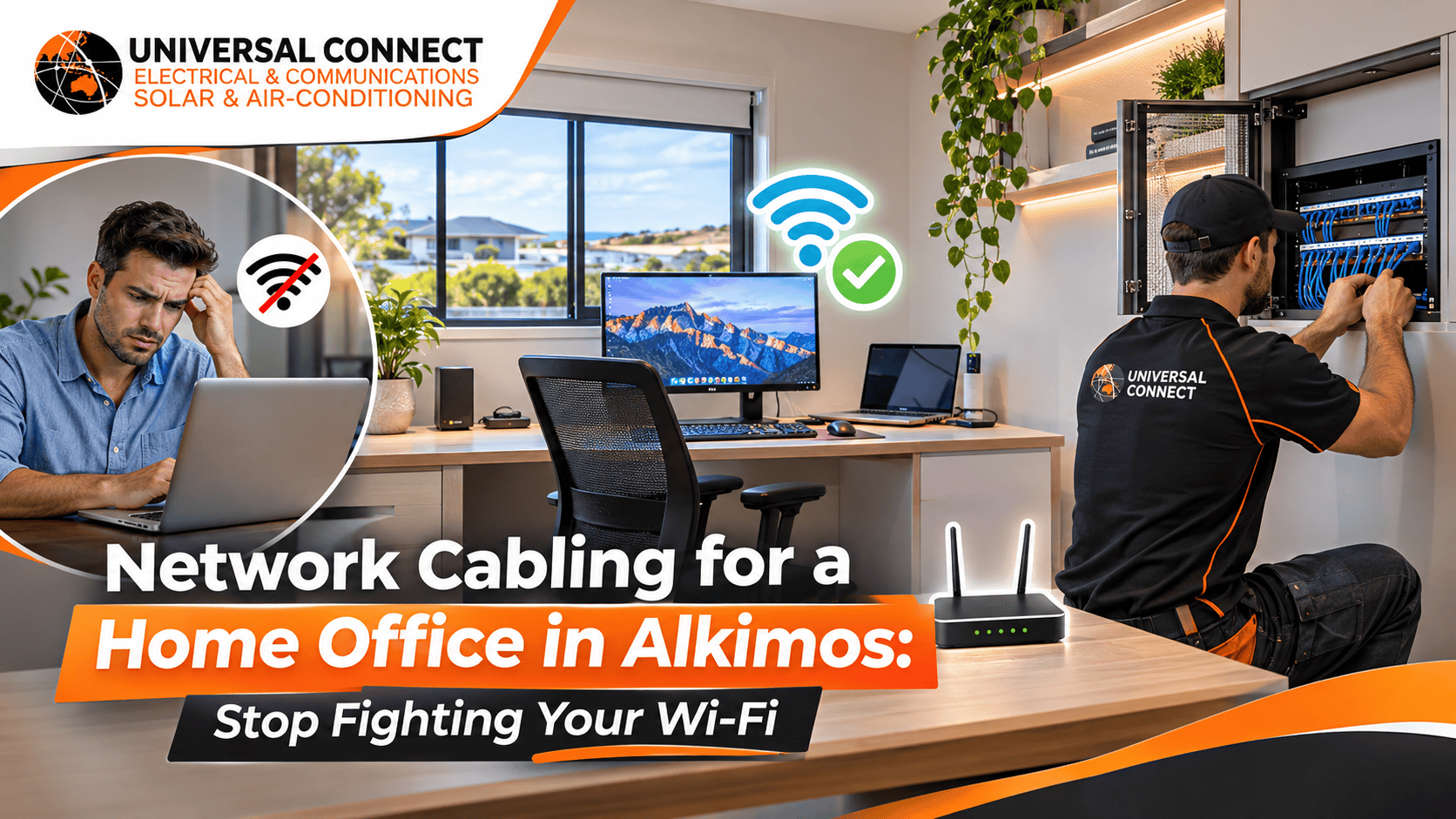
It is Friday morning. You join a client video call from your spare room. Your face freezes halfway through a sentence. The call drops. Your laptop shows full Wi-Fi bars, but the connection still fails.
We hear this story from Alkimos homeowners every week. Many people now work from home two to five days a week. Yet most homes were wired for TVs and phone chargers, not for steady, all-day data use.
The fix is often simple: a proper cabled connection to your desk. In this guide, the team at Universal Connect Pty Ltd explains home office network cabling Alkimos homeowners can rely on. You will learn how ethernet works, where to place data points, what to plan in a new build, and how to avoid the common mistakes we see. If you are searching for an electrician Alkimos residents trust for practical advice, read on before you buy another Wi-Fi extender.
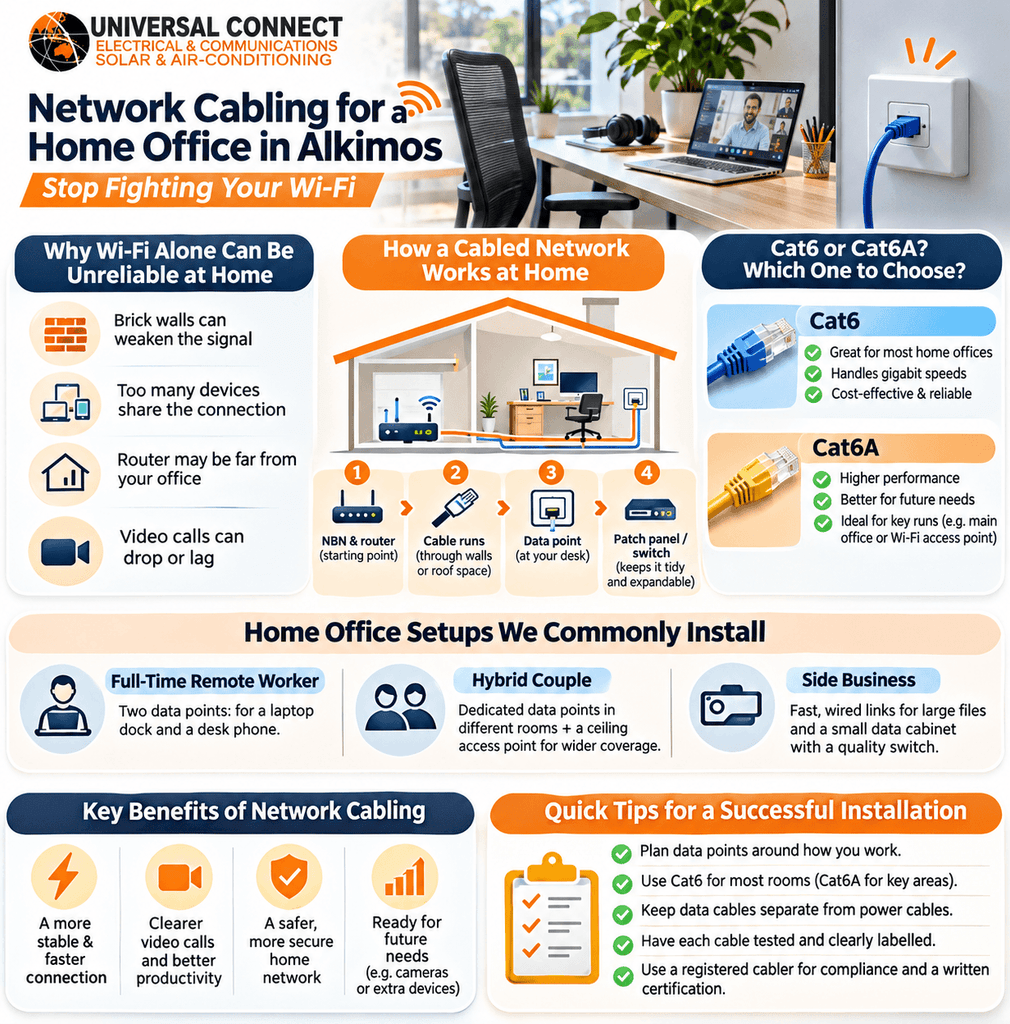
Alkimos has grown fast. Most homes here are new or near-new, built with double brick walls and plasterboard ceilings. Many also have the NBN connection box in the garage or a front cupboard, far from the bedroom that becomes the office.
Brick walls block Wi-Fi signals well. So do metal-framed mirrors, fridges and foil insulation in the roof. A router in the garage might give strong signal in the kitchen but weak, patchy signal at the back of the house.
Wi-Fi also shares airtime. When the kids stream videos, a partner games online and smart devices check in, your work laptop competes with all of them. Video calls suffer first, because they need a steady connection, not just a fast one.
A cabled ethernet connection avoids most of these problems. It does not care about brick walls or how many phones are online. It gives your desk its own dedicated path back to the router.
A typical home office cabling job has four parts:
For most home offices, Cat6 cable is the sensible choice. It handles gigabit speeds easily over normal household distances. Cat6A costs more to buy and install, and it is bulkier. It suits people who plan to run very high-speed home servers or large file transfers between devices.
We usually recommend Cat6 for bedrooms, offices and living areas. For one or two key runs, such as a main office or a ceiling-mounted Wi-Fi access point, Cat6A is worth thinking about for future-proofing.
Good cabling starts with a conversation, not a cable drum. Before we drill a single hole, we ask how you use the room.
Scenario one: the full-time remote worker. An accountant in a four-bedroom Alkimos home spends six hours a day on video calls. She needs two data points at her desk: one for her laptop dock and one for a desk phone. We also run a spare cable to the opposite wall in case she moves the desk later.
Scenario two: the hybrid couple. Two people work from home on different days. One uses the study, the other uses a corner of the living room. Each spot gets a dedicated data point. A ceiling access point in the hallway gives strong Wi-Fi to everything else.
Scenario three: the side business. A photographer edits large files at home and backs them up to a network storage drive. He needs fast, wired links between his computer, the storage drive and the router. Here, a small data cabinet with a quality switch makes sense.
A residential electrician Alkimos homeowners trust should ask these questions first. The right setup depends on your routine, not on a standard package.

Some home offices are really small businesses. If clients visit, staff log in from home, or you run security cameras, a home setup starts to look like a small commercial job.
In these cases, we borrow a few practices from our commercial electrician work:
Plan your data points before the plaster goes up. In a double brick home, the builder chases the walls for cables before hard plaster. Adding data points at this stage is quick and leaves no mess.
Ask your builder for data points in every bedroom, the study, the main living area and the ceiling of a central hallway. Also ask for a clear path from the NBN box to a central cabinet. Experienced electrical contractors Alkimos builders work with can review your plans and suggest where to add points before you sign off on variations.
Retrofitting is very doable in most single-storey Alkimos homes. We run cables through the roof space and drop them down the wall cavity to a new wall plate. In double brick homes, internal walls can be harder, so we look for existing cavities, wardrobe walls or neat surface options.
Two-storey homes take more planning. Getting a cable from the garage to an upstairs office often means using a cupboard, a stairwell void or an existing service path. A quick site check tells us the best route.
Reliable video calls do not need expensive gadgets. They need a solid, cabled path from your router to your desk. Good home office network cabling Alkimos homes can rely on gives you steady connections, less frustration and a setup that grows with your work.
If you need an electrician Alkimos remote workers recommend, Universal Connect Pty Ltd can look at your home and suggest a practical plan. We work as experienced electrical contractors Alkimos homeowners and builders can coordinate with easily.
Whether you need one data point in a spare room or a full home office setup, a residential electrician Alkimos families trust will help you get it right the first time.
In most homes, yes. Ethernet gives your computer a dedicated, stable connection that does not compete with phones, TVs or gaming consoles. Video calls need steady data more than raw speed, and Wi-Fi often fluctuates through brick walls. An electrician Alkimos remote workers use can run a cable straight to your desk. Most clients notice fewer frozen screens and dropped calls within the first day of using a wired data point.
Usually, yes. In single-storey homes, we run cables through the roof space and drop them inside the wall cavity to a new wall plate. Double brick internal walls can be harder, so we look for cavities, wardrobe walls or neat alternative paths. Experienced electrical contractors Alkimos homeowners hire will inspect the home first and explain the cleanest route. Two-storey homes need more planning, but most still allow a tidy finish.
We usually suggest at least two at the desk. One serves your laptop or computer dock, and the other covers a printer, desk phone or second device. If you might move the desk, add a spare point on another wall. A residential electrician Alkimos homeowners trust will ask how you work before deciding. Adding extra points during the first job costs far less effort than coming back later to retrofit them.
Yes, in most cases. Australian rules require data and telecommunications cabling connected to the network to be installed by a registered cabler. This protects your home’s network and the wider network from faults and interference. Always ask your installer to show their cabling registration before work starts. A registered installer also knows the separation rules between data and power cables, which DIY jobs often get wrong and which can cause interference.
For most home offices, Cat6 works very well. It handles gigabit speeds easily across normal household distances and fits neatly in wall cavities. Cat6A suits people who move very large files between devices or want maximum future-proofing on key runs. We often use Cat6 for general rooms and consider Cat6A for the main office or a ceiling access point. Your daily work and future plans should guide the final choice.